Introduction
Every dentist dreams of a practice that runs like clockwork with a full schedule, happy staff, and zero missed calls.
The GHL Dental Snapshot promises exactly that: automation that answers calls, books appointments, sends reminders, and follows up with patients, all while you’re chairside.
But here’s the thing…
Even the best automation tools can underperform if they’re not used correctly. Many dental offices install the snapshot and expect it to work like magic, only to realize leads still go unanswered or campaigns don’t trigger.
If that sounds familiar, don’t worry. You’re not alone. In this article, we’ll break down the top 5 mistakes dentists make when using the GHL Dental Snapshot, plus actionable ways to fix each one.
Key Takeaways
- Many dentists underutilize automation tools within the GHL Dental Snapshot.
- Misconfigured workflows or missing integrations can cause leads to slip through the cracks.
- Simple fixes in settings, reminders, and AI training can dramatically improve results.
- Following best practices ensures you save time, recover lost leads, and keep your calendar full.
- Consistent review of your snapshot performance prevents tech burnout and wasted effort.
What the GHL Dental Snapshot Actually Does
Before we dive into the mistakes, let’s get on the same page.
The GHL Dental Snapshot (built on GoHighLevel) is a done-for-you automation system created for dentists and orthodontists.
It includes everything a modern dental office needs:
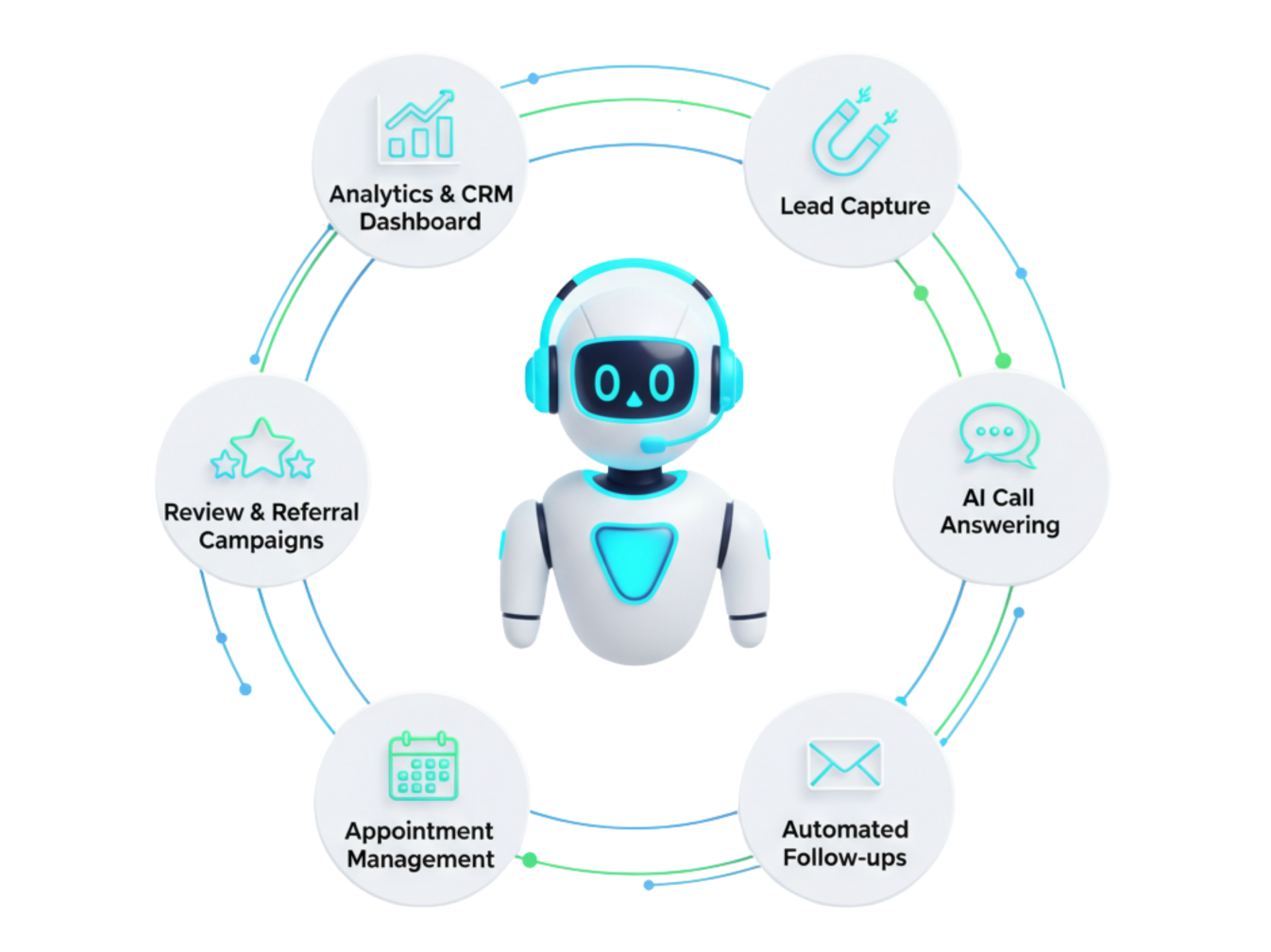
✅ 24/7 AI call answering
✅ Automated text/email follow-ups
✅ Patient CRM and reminders
✅ No-show recovery workflows
✅ Review and referral campaigns
✅ Prebuilt mobile-friendly website
In short, it’s your virtual front desk, marketer, and assistant, all rolled into one designed to help you handle leads, appointments, and patient communication automatically.
But while it’s incredibly powerful, most dentists make a few key setup mistakes that prevent them from seeing its full potential.
Let’s fix that.
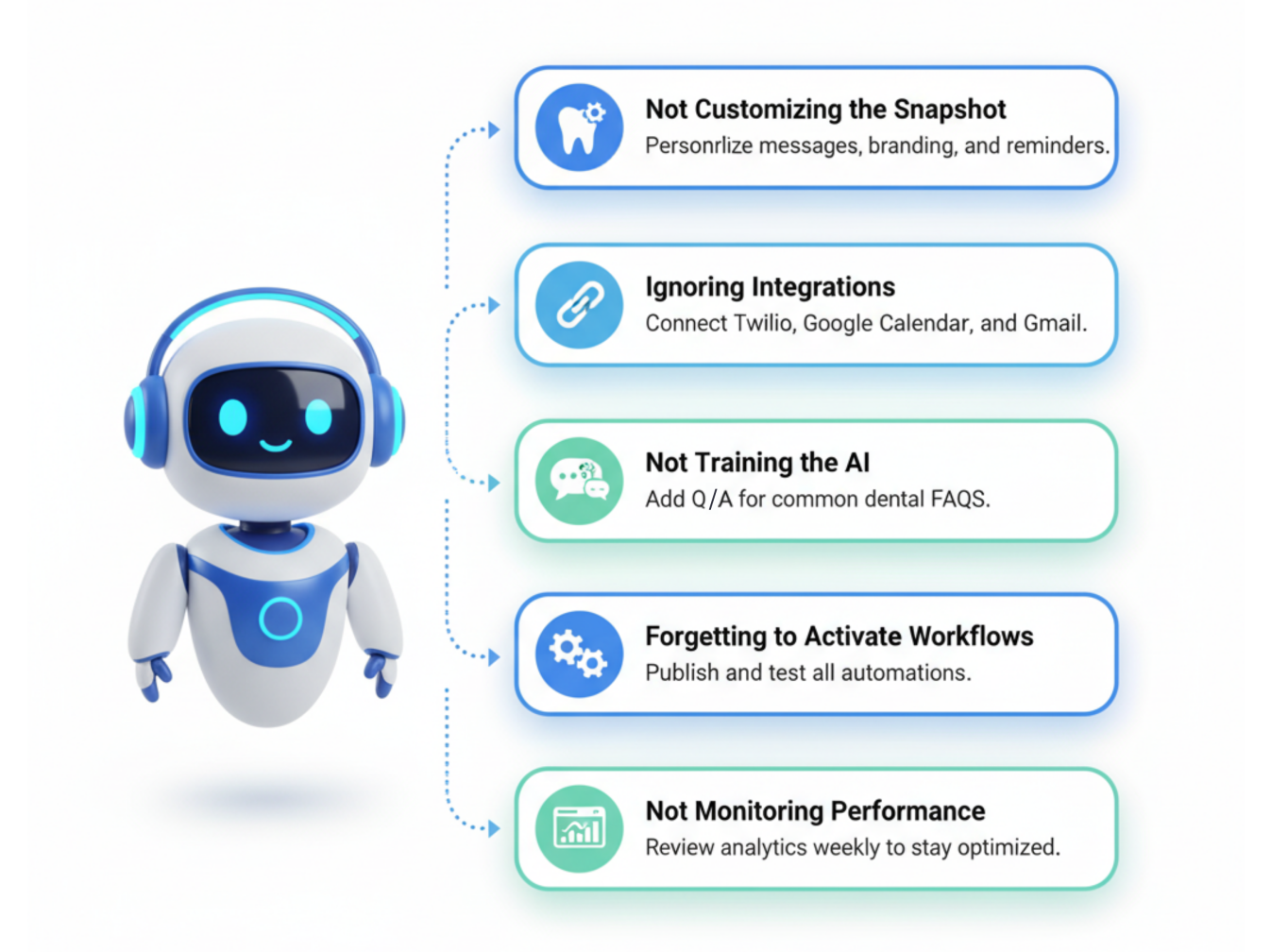
1: Not Customizing the Snapshot for Your Practice
One of the biggest reasons dental teams fail to get results with their GHL Dental Snapshot is that they leave it in its default state.
Yes, the snapshot comes prebuilt—but it’s meant to be customized. Without personalization, your automations sound robotic, your branding feels generic, and your follow-ups lose authenticity.
How to Fix It
- Edit your email and SMS templates: Add your practice name, tone, and personality.
- Update appointment reminders: Include your actual office hours, directions, and staff names.
- Add service-specific funnels: Customize your lead forms for implants, cleanings, or ortho consults.
- Include local SEO tags: Add your city name and zip code to boost local visibility on Google.
Every message sounds human, not canned.
This simple automation is one of the fastest ways to “warm up” cold leads, build trust, and get them to book.
 Pro Tip: According to a Salesforce study, personalization increases appointment conversion rates by up to 26%.
2: Ignoring Integration Setup
Many dentists skip the integration steps, and that’s like installing a crown without cement. 😬
If you don’t connect tools like Twilio, Google Calendar, or your email SMTP, automation simply doesn’t run.
How to Fix It
- Connect Twilio to enable SMS and voice calls.
- Integrate Google Calendar so AI can automatically schedule appointments.
- Sync your business email for automated confirmations and follow-ups.
- Activate the review workflow by linking your Google Business Profile.
📊 Stat Check: Practices that fully integrate their communication tools report 43% fewer missed appointments and 32% higher patient engagement.
3: Not Training the AI Receptionist or Chatbot
The AI Receptionist is powerful but only if you train it properly.
Too many dental offices skip training or use vague scripts, which causes the bot to give generic or incorrect responses. The result? Confused patients and missed opportunities.
How to Fix It
- Head to Settings → Conversation AI → Bot Training.
- Add Q&A pairs that match common patient questions:
- “Do you accept Delta Dental?” “How do I book a whitening appointment? Include web URLs for FAQs or policy pages.
- Test the bot weekly using the “Bot Trial” feature.
💬 Pro Tip: Add personality! Use friendly tones like “Hey there! 👋 We’d love to get you scheduled for your next cleaning.”
Want a faster launch?
4: Forgetting to Activate Workflows
Sometimes everything looks set up, but no automation actually runs. Why? Because the workflows were never published.
A workflow is like a domino line if you don’t push the first piece (the trigger), nothing happens.
How to Fix It
- Go to Automations → Workflows.
- Make sure each workflow (e.g., “New Lead Follow-Up” or “Appointment Reminder”) says “Published,” not “Draft.”
- Review triggers such as: Form submission, Call answered, Appointment booked
- Test by adding a dummy contact to confirm actions fire correctly.
💡 Pro Tip: Use the “Test Workflow” button in GHL before going live.
📊 Fact: Automated workflows can reduce admin time by 60%, freeing up your front desk for real patient interactions.
5: Ignoring Analytics, Reviews, and Follow-ups
Automation doesn’t mean “set it and forget it.”
Many dental teams never check their pipeline analytics or review generation results, missing key improvement opportunities.
How to Fix It
- Visit Reporting → Analytics Dashboard weekly.
- Monitor: Conversion rates, Appointment attendance, Follow-up response times
- Use Reputation Management to track Google review responses.
- Automate post-visit review requests with a personalized SMS.
Every step feeds the next, creating a full cycle of engagement that keeps your practice growing automatically.
How to Get the Most from Your GHL Dental Snapshot
Here are extra strategies for maximizing ROI:
- Segment your patients into categories (e.g., new vs. returning).
- Launch holiday and promo campaigns (built into the snapshot!).
- Use multi-pipeline CRM stages to visually track leads and reactivations.
- Enable AI follow-up after missed calls for instant patient engagement.
- Schedule a review every 90 days to refine messaging and automation flow.
Frequently Asked Questions
What exactly is the GHL Dental Snapshot?
It’s a prebuilt GoHighLevel automation designed specifically for dental practices. It manages leads, calls, appointments, reviews, and follow-ups automatically.
Do I need a GoHighLevel account to use it?
Yes. You’ll need a GHL account, but setup is included with most snapshot purchases.
How long does setup take?
Most practices are live within 24–48 hours once integrations are connected.
Is it HIPAA compliant?
Can the AI handle emergencies or insurance questions?
What’s the difference between the AI receptionist and chatbot?
Can I import my existing patient list?
Yes, easily via CSV import into the Contacts section.
Conclusion
Your GHL Dental Snapshot isn’t just another tech tool; it’s a digital team member that can transform your entire practice.
But success comes from proper setup, ongoing training, and smart monitoring.
Avoid these common mistakes, stay consistent, and you’ll watch your practice evolve from reactive to automated, from chaotic to calm, all while focusing on what you love most: caring for your patients.
Ready to transform your dental practice?
See how CRM automation can streamline your practice and boost efficiency. Schedule a free demo today!